

Save it. Forget it. Stashwise remembers it.
Save what matters. Use it when it matters.
Save links, videos, podcasts and posts from any app. Stashwise brings them into ChatGPT, Claude or Codex when needed.

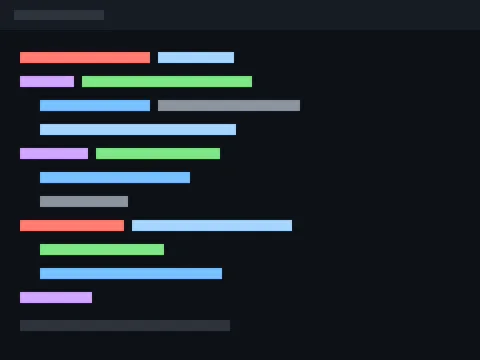







npx -y @stashwiseapp/mcp installYou can just save and go
Collecting is the only thing you need to do.
Stashwise opens each save and works out what it is for. Connect it to ChatGPT or Claude once, then carry on asking about your work. You never ask for a save: your assistant finds them while it answers, so what comes back is shaped by what you kept. Keep saving, and forget you did.
Transcript
A video is watched all the way through, then written down.
Summary
What it covers, written so your assistant can use it.
Wiki links
Saves that share a subject find each other, with no filing from you.
Uses
What this one is for, which is how it comes back at the right moment.
Your assistant
It reaches your saves without being asked.
Connect Stashwise to Claude or ChatGPT once. After that you only ever ask about your work, never about your saves. It checks your library as it answers and brings back whatever fits, naming the saves it used, so you never have to remember what is in there.
You are never going back to look. So do not.
Ask your assistant about whatever you are working on instead. It reads what you saved and answers with it, so the looking is its job now rather than yours. The saves you gave up on months ago still count.
Save it. Forget it. It shows up when you need it.
After you save
One library, and it keeps up with you.
Drag each divider to see what changes.
Problem
My saves are all over the place
I save videos, posts, and links in different apps. Later, I can’t remember where anything went.
TikTok

- Saved
- Favorites
- Videos
Instagram

- Saved
- Collections
- Reels
- Posts
Facebook

- Saved
- Collections
- Reels
- Posts
YouTube

- Watch Later
- Playlists
- Shorts
- Videos
LinkedIn

- Saved posts
- Profiles
- Articles
X

- Bookmarks
- Posts
- Threads
- Profiles
RedNote

- Collections
- Notes
- Videos
- Profiles
Web
- URLs
- Bookmarks
- Articles
- Pages
I know I saved it somewhere. I just don’t know where.
With Stashwise
One library across mobile and web
You choose what to save. Everything useful lives together.
Mobile share
Chrome Extension
Paste URL
Stashwise Library
Posts
Videos
Reels
Articles
Repos
Papers
Profiles
URLs
Problem
I can’t find what I saved
I remember the idea, but not the app, title, or link.
good ways to improve SEO
I know what I’m looking for. I just don’t remember enough to search for it.
With Stashwise
Find anything you saved, fast
Everything is in one place. Search or filter by topic, source, or content type.
good ways to improve SEO
10 practical ways to improve SEO
example.com · Saved source
SEOsearch rankingscontent strategytechnical SEO
Problem
I don’t know which saves are still useful
Old advice sits next to new advice. I don’t know what I can still trust.
The ultimate SEO guide (2021)
example.com/seo-guide
Google ranking factors
example.org/ranking-factors
AMP for SEO
example.net/amp
Duplicate keyword research
example.com/keyword-research
My old and repeated saves make it hard to know what still matters.
With Stashwise
A self-improving library
Understand why you saved it. Keep your knowledge useful and up to date. You stay in control.
Review your saves
See items that may need your attention.
Understand why you saved it
Use your goal to organize saves and suggest what helps.
Keep current source
Confirm this source is still valuable.
Refresh outdated knowledge
Use a newer save and retire the old one.
Update connections
Refresh links between related saves.
On mobile, use the share sheet. On the web, paste any URL directly into your library.
Made useful again
So what do you actually do with it?
The point is not that you can find things again. The point is that you get somewhere, whether you are shipping something, working a subject out, or learning something hard.
For designers01
The reference you saved is in the answer
Design components, screenshots and product examples you saved on your phone come back while you are working, so the thing you liked six weeks ago is in front of you when it is useful.
What that looks like
You ask about a layout and the example you saved is already part of the answer.
For developers02
The repository you saved is already cited
Repositories, documentation and technical posts you saved come back while you are working. In Claude Code they arrive on every prompt, so nothing is searched for at all.
What that looks like
You ask how to approach something and the library you saved is part of the answer.
For researchers03
Find out what you actually think
Papers, profiles and articles you are studying connect on their own, and the pattern across them surfaces, including the parts that disagree with each other.
What that looks like
The pattern you had not noticed, named, with the saves that show it.
For students04
Everything from the term, in one place
Lecture material, papers and tutorials saved across a term connect into ground you can stand on, so the next step is a specific thing to do rather than another tab to open.
What that looks like
Not a summary. One thing to do next, and the save it came from.
For content creators05
The research is in the room while you make
Posts, videos and articles you collected while looking for ideas come back when you are drafting, so work you did weeks ago is with you instead of in a list you would have to open.
What that looks like
You start writing and the sources you gathered are already part of it.
01Library
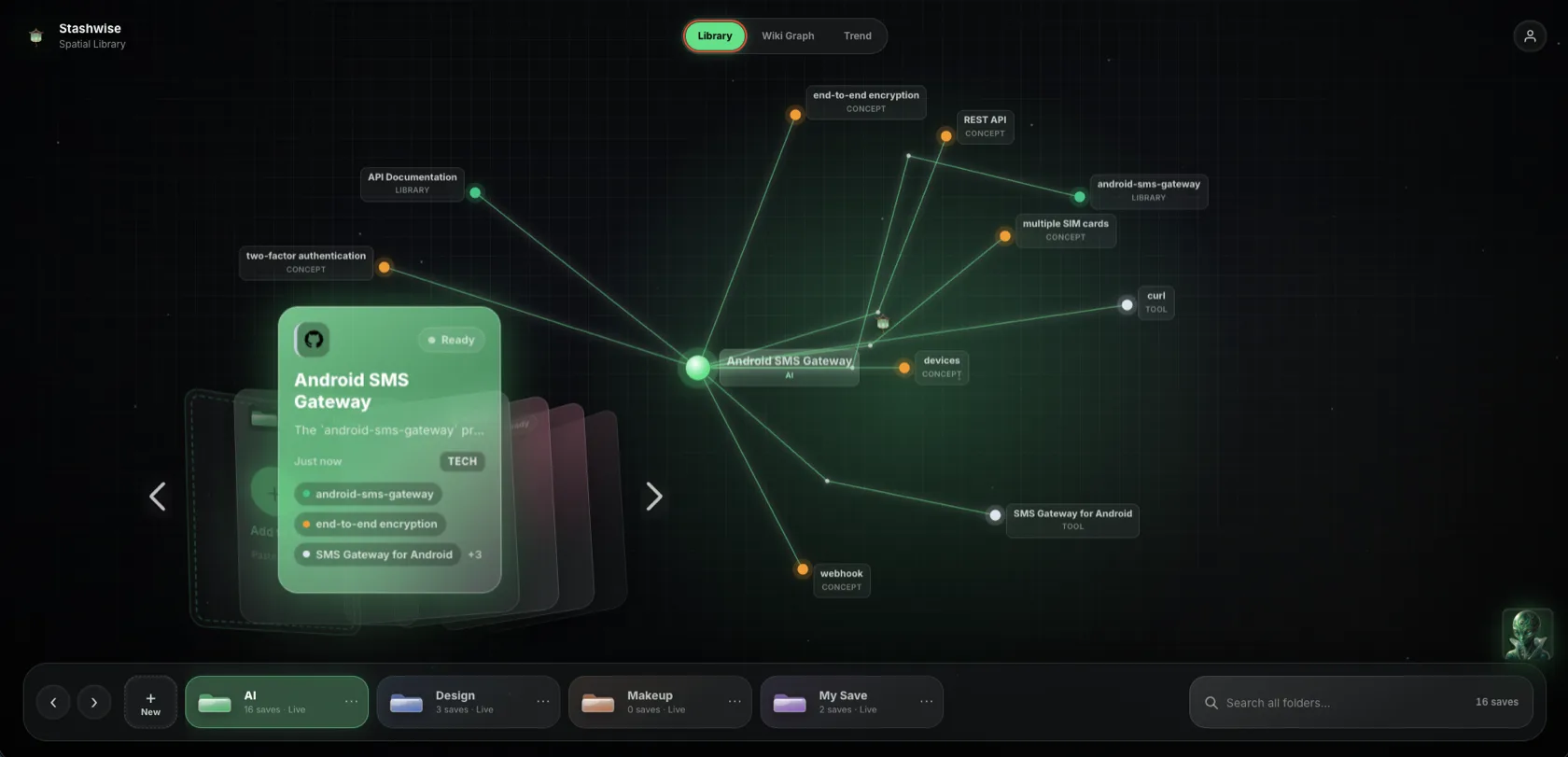
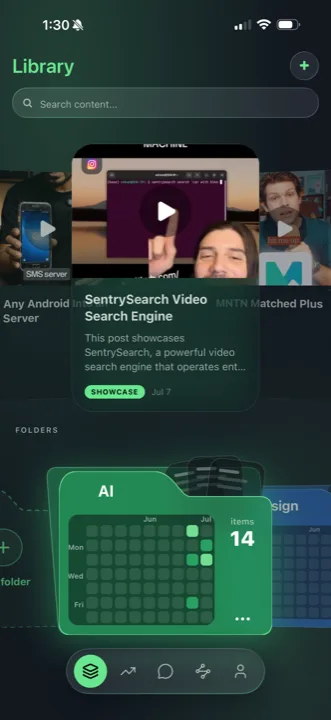
Every save is read, not just stored.
Save a link, a video, a post or a paper from anywhere. Stashwise opens it, reads it and keeps it together with what it actually contains, so it is still useful to you months later.
- Share from any app, paste a link, or use the browser extension.
- Each save is read and summarised, not just filed away.
- One library, the same on your phone and on the web.
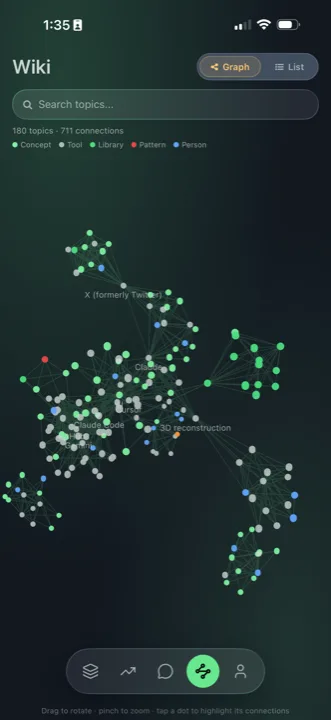
02Graph
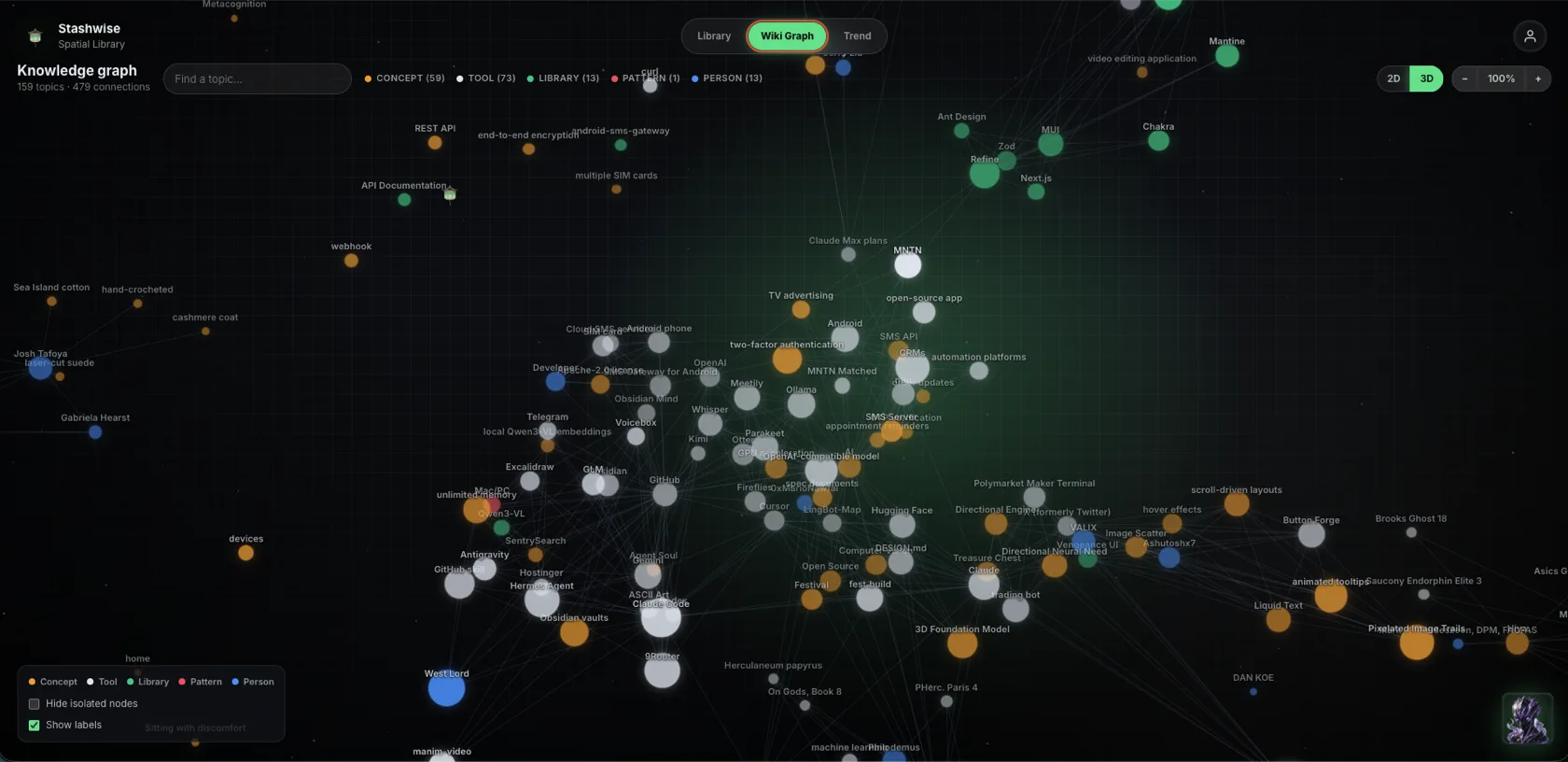
The links between your saves appear on their own.
People, tools and ideas connect across everything you save, so a subject you have returned to many times becomes easy to see. Every connection shows the line of text from the source that supports it.
- Related material links itself across everything you save.
- Follow a thread to see how your work actually fits together.
- Every connection carries the line of text that supports it.
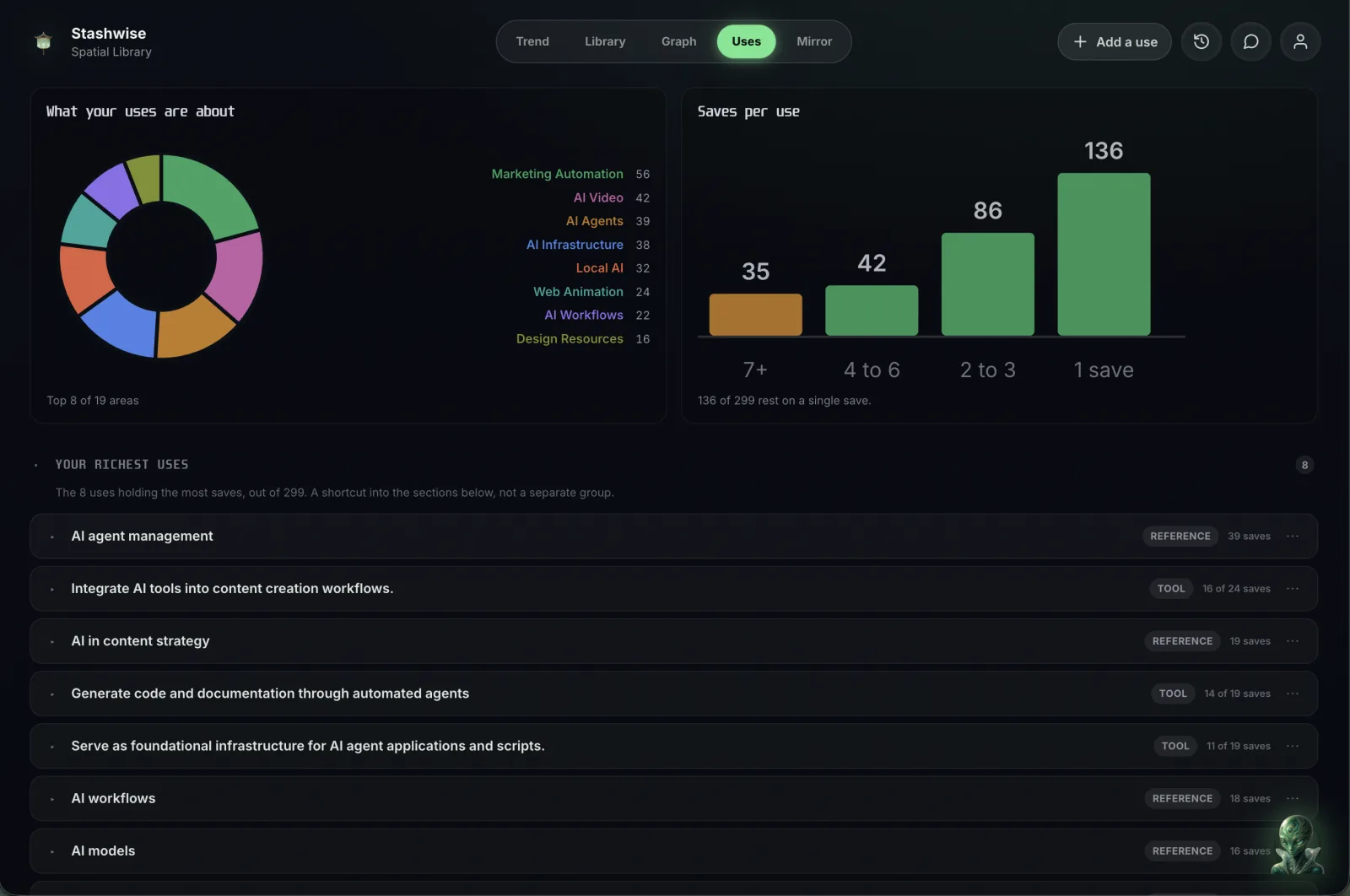
03Uses
Every save knows what it is for.
A save is not filed by folder, it is filed by the job it does. You can see which jobs hold most of your saves and which rest on only one, so you know where you already have enough to start.
- Each save records what it is good and bad at, with the sentence behind each.
- New saves match themselves to the work you already do.
- Write your own, and a use you write beats one it guessed.
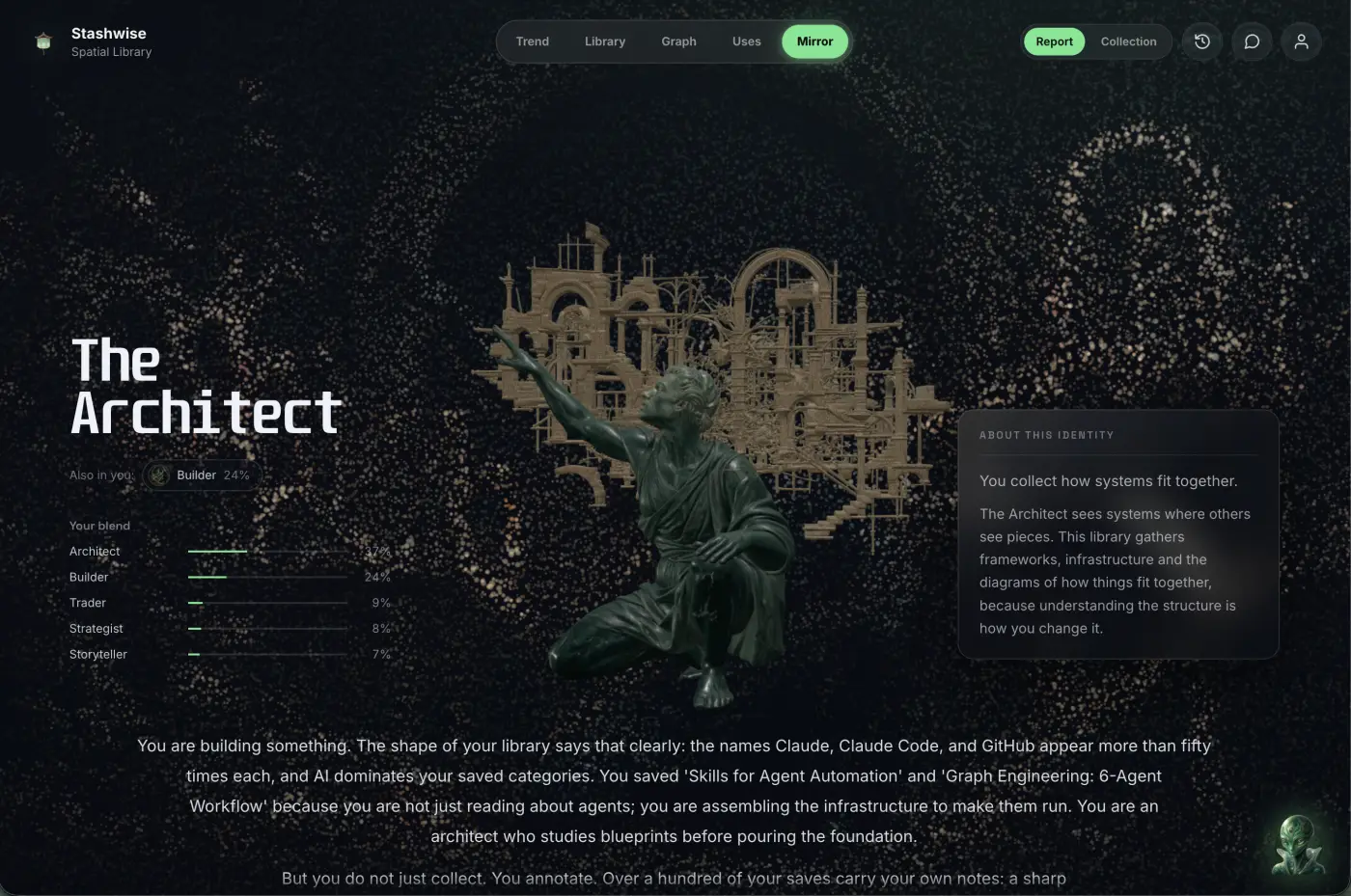
04Mirror
One thing to do, and the save it came from.
Stashwise reads the whole library and names what it sees, with the saves behind it. Then it gives you a first move you can make today, and points at the save it grew out of, so you can check the reasoning rather than take its word.
- A name drawn from what you saved, not from a quiz you filled in.
- The saves behind it, including the parts that do not agree.
- One first move, so you know exactly where to start.
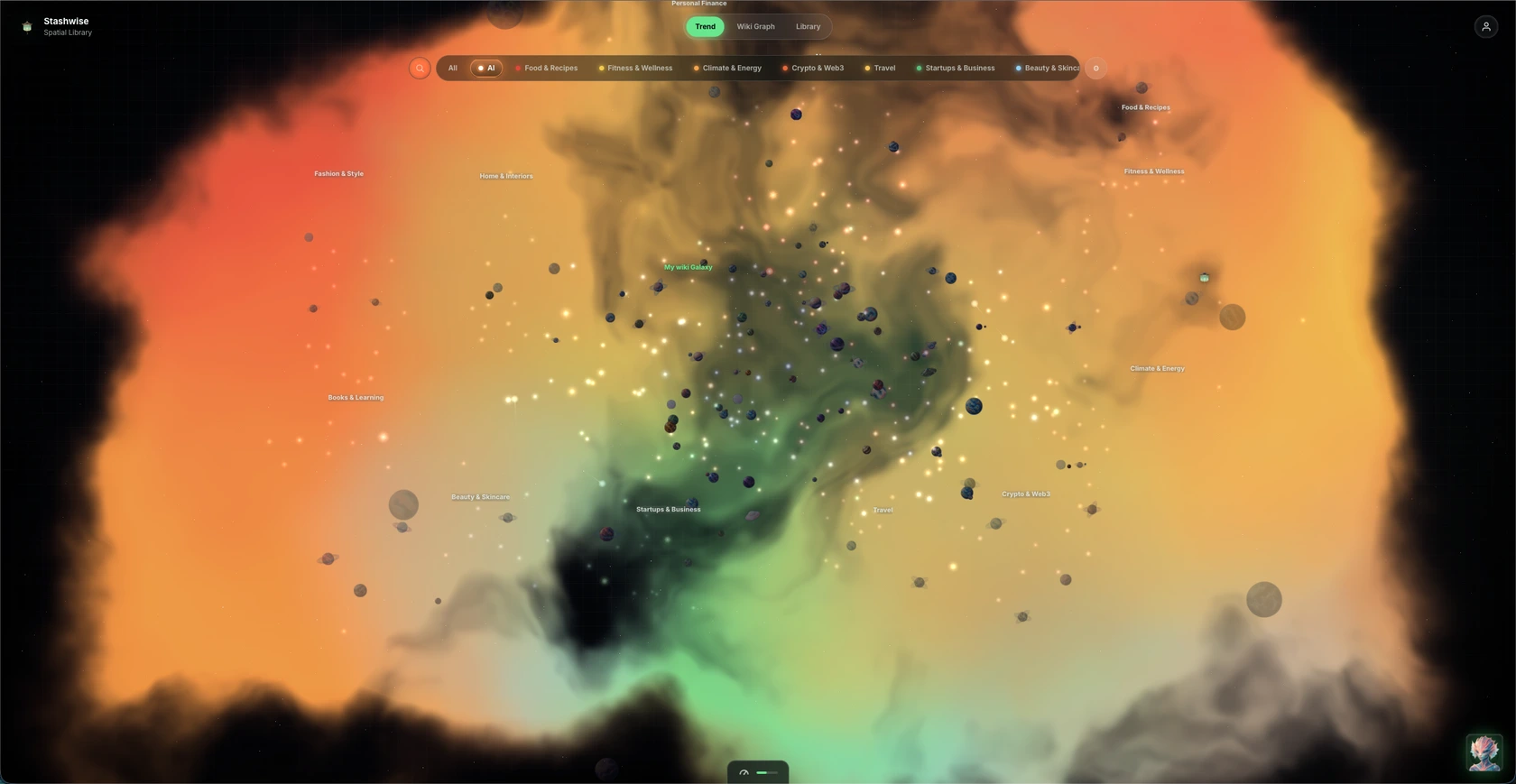
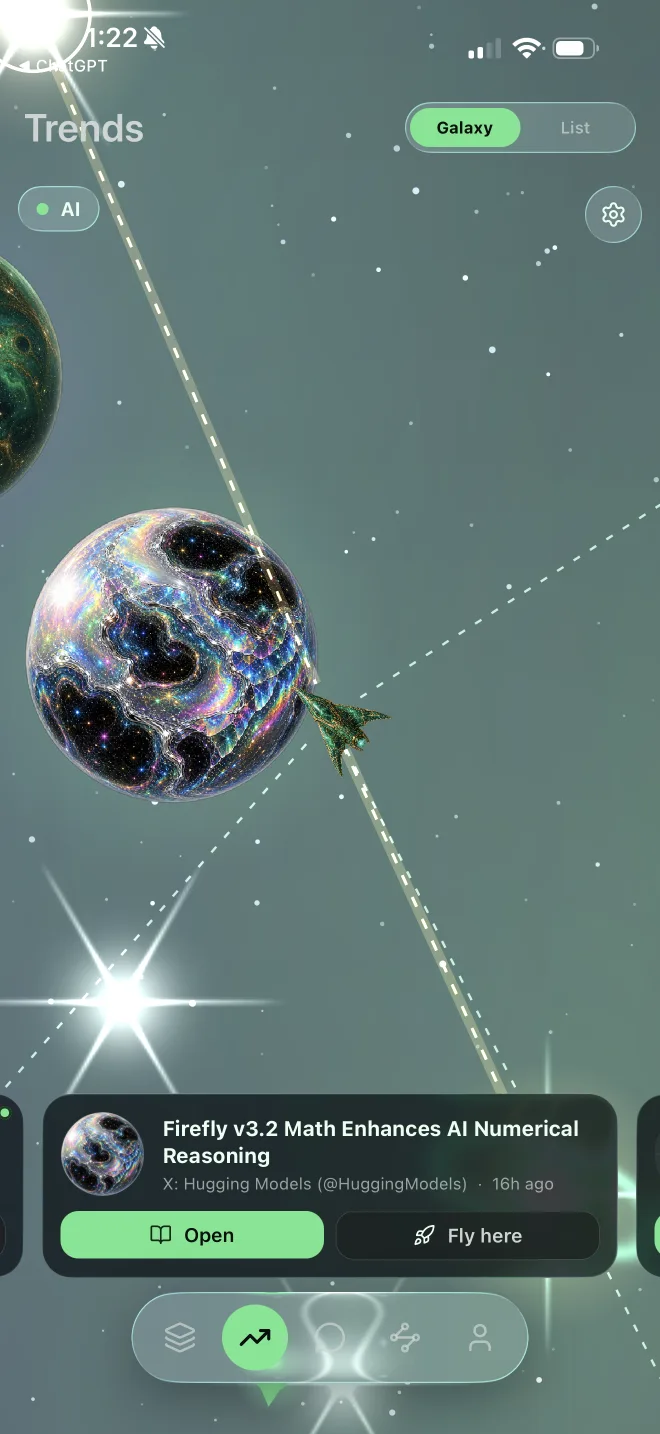
05Trend
News that matches what you already know.
Fresh stories are scored against your own graph, so the ones closest to the subjects you keep returning to come to the front. Fly through them, and keep anything worth keeping straight into your library.
- Every story scored against the subjects you already collect.
- Fly the ship through the field to see what is close to you.
- Save anything worth keeping without leaving the view.
Wherever you work
One library. Every way in, and every way out.
Saving happens on your phone. Using it happens wherever you already think, which for most people is an assistant they have open all day.
Ways in
- iPhone and AndroidShare from whatever app you are already in. That is the whole flow.
- Chrome extensionOne click on the page you are reading.
- The web appPaste a link, or write the thought down yourself.
Where it comes back
- ChatGPTConnect once, then carry on asking about your work.
- Claude and Claude DesktopYour saves arrive inside the answer, named so you can check them.
- Claude Code, Cursor and CodexClaude Code checks your library on every prompt, without being asked.
Setting up a client takes one command. See the setup for each one, or add the Chrome extension.
Pricing
Start free. Upgrade when you want more from it.
Begin with one useful link. Upgrade when you need more saves, more grounded chats, and longer video analysis across everything you have saved.
Free
$0forever
Perfect for getting started.
- All source types
- Searchable saved library
- Personalized wiki
- 5 link saves
- 5 AI chats
- Short video analysis
Plus
$19.99/ month
For serious savers.
Monthly usage
- All source types
- Searchable saved library
- Personalized wiki
- 150 link saves
- 300 AI chats
- 180 mins video analysis / month
Most Popular
Pro
$24.99/ month
For power users.
Monthly usage
- All source types
- Searchable saved library
- Personalized wiki
- 400 link saves
- 800 AI chats
- 480 mins video analysis / month
- Priority queue + early access
FAQ
Questions, answered.
What does Stashwise actually do with something I save?
It works out what the save is good for. Alongside a summary and the key takeaways, Stashwise records what the thing is good and bad at with the line of text behind each point, links it to the rest of your material, and files it under the work you already keep the library for. The result is a collection you can act from rather than one you have to go searching through.
Can I save something without opening the Stashwise app first?
Yes. On iPhone and Android, send a link to Stashwise from the system share sheet. On desktop, use the Chrome extension while viewing a page. You can also paste a URL directly into Stashwise on the web.
Can my AI tools reach my collection?
Yes. Stashwise provides an MCP server for MCP-compatible clients, including Claude Code, Codex, Cursor, and Claude Desktop. Once connected, the client can search your library and wiki. Access is revocable at any time.
How do I know it is not making things up?
Because every claim has to name the save it came from. Answers in Stashwise cite the saved material they use, connections in the wiki carry the line of text that supports them, and MCP retrieval returns matching library content with its source details. Anything that cannot point at a source does not get shown to you.
Why do LinkedIn pages require the Chrome extension?
Signed-in LinkedIn profile and organization pages are available to the browser session that has the page open. The Chrome extension captures that page when you choose to save it. Capture happens only through that explicit extension action; there is no background LinkedIn collection.
Which platforms does Stashwise support?
Stashwise is available on the web, iPhone, and Android. Capture from desktop with the Chrome extension, and connect compatible AI tools through the Stashwise MCP server.
Can I start for free?
Yes. The Free plan includes the core saving, library, wiki, and grounded chat experience with smaller usage limits. Plus is 19.99 USD per month and Pro is 24.99 USD per month.
Start with one useful thing
Find out what you saved it for.
Free to start. Stashwise keeps the source, works out what it is good for, and gives you back the reason you saved it in the first place.
Free to start · No card required · Reaches Claude, Codex and Cursor when you want it